Last updated: 02/03/26
This page explains how users of the Polar Express mobile application can request deletion of their account and associated personal data.
This page is publicly accessible and does not require login.
How to Delete Your Account #
Account deletion is performed directly inside the Polar Express app after login.
Steps #
- Open the Polar Express app
- Log in to your account
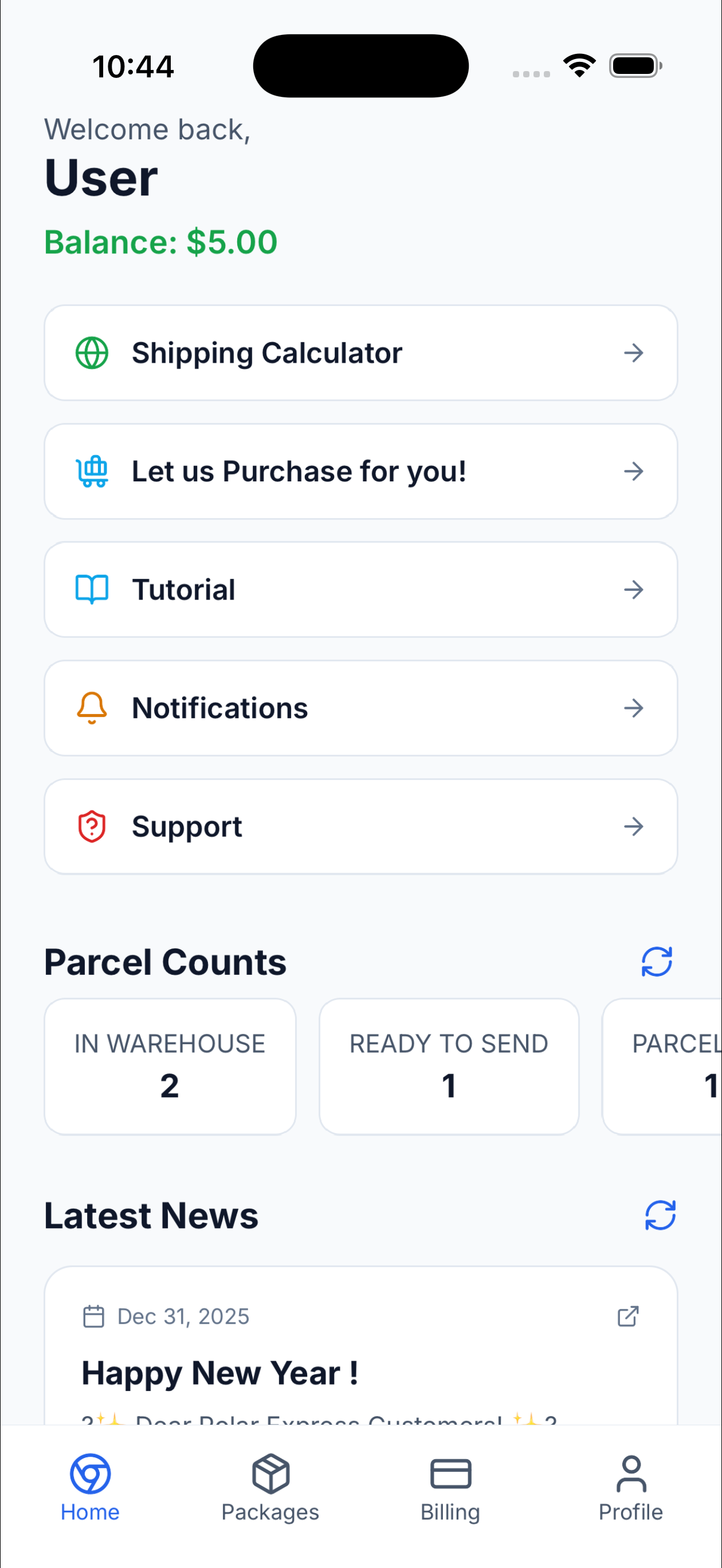
- Go to Profile
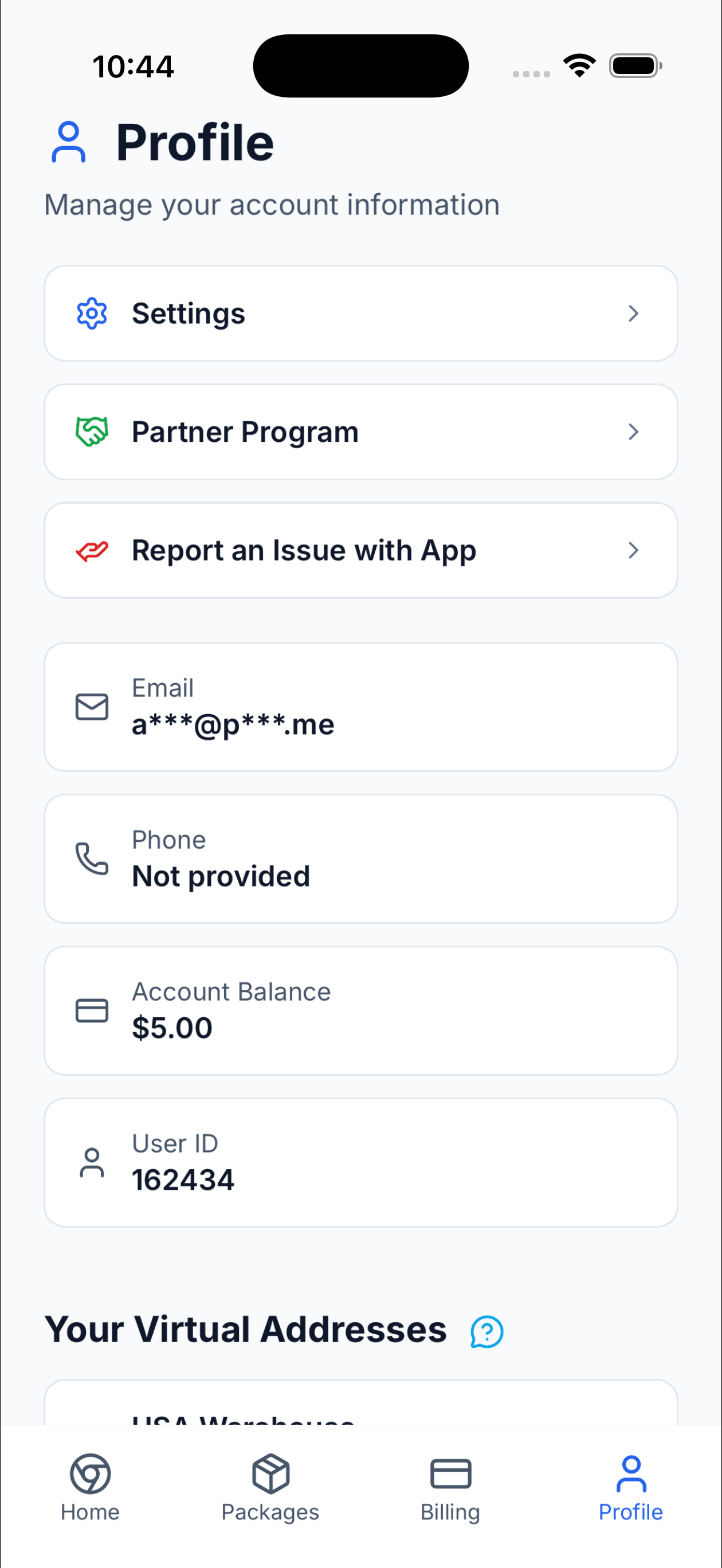
- Tap Settings
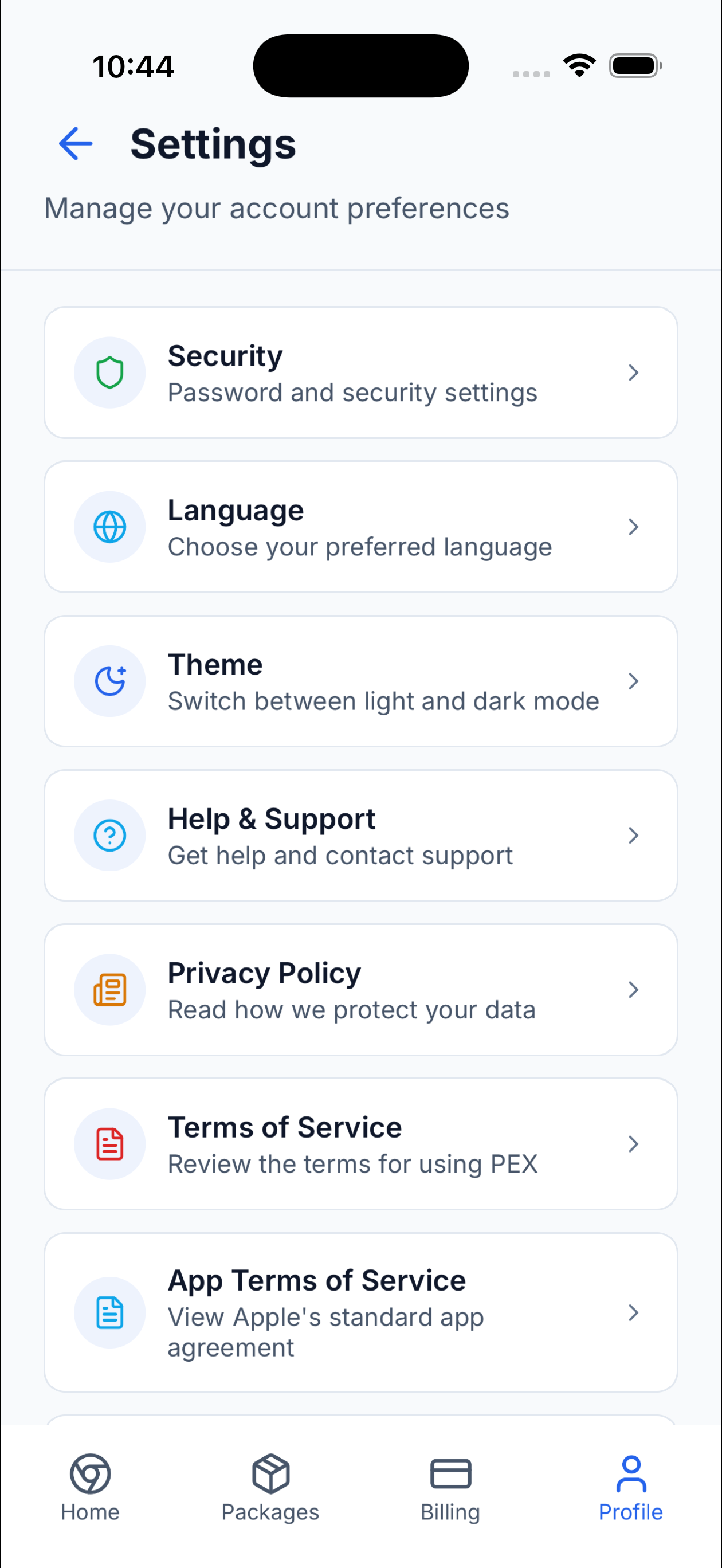
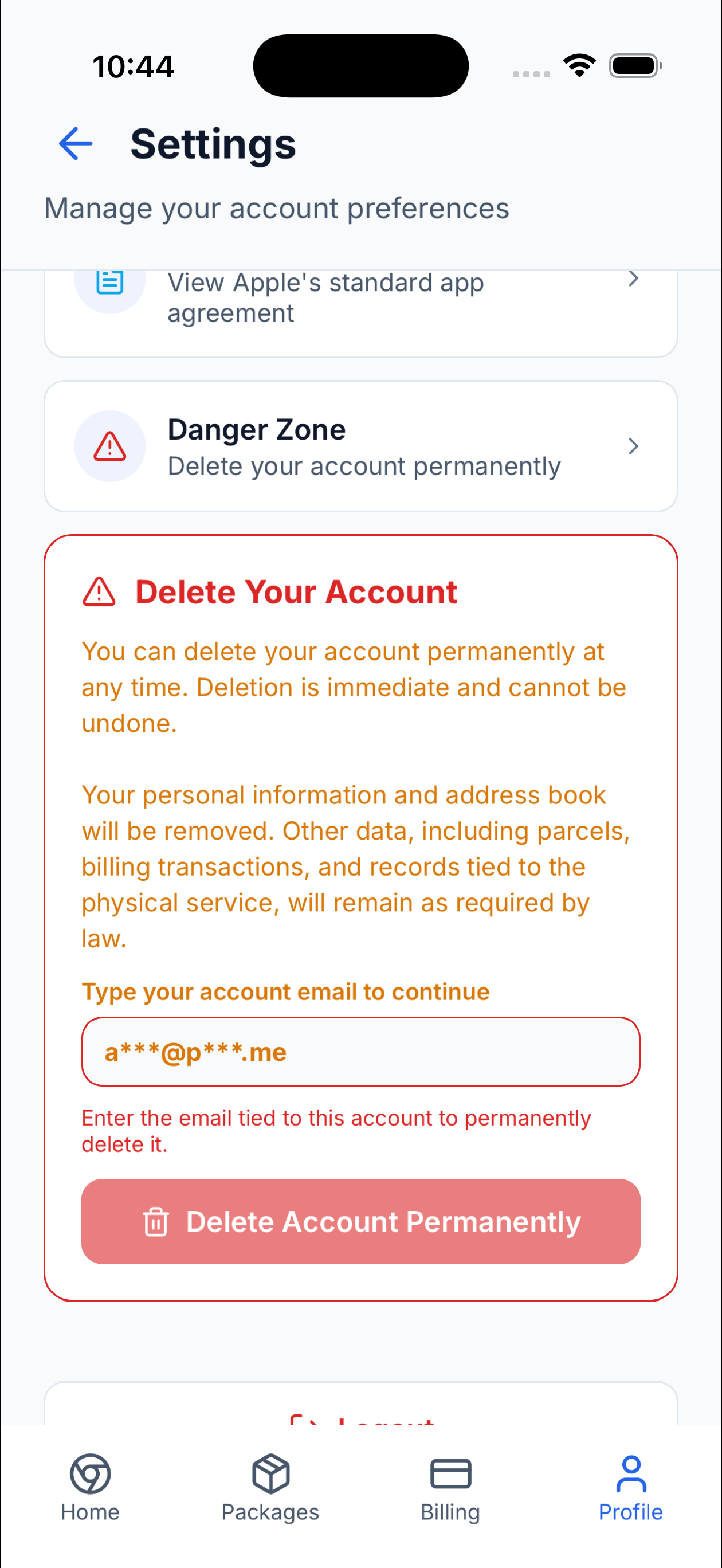
- Scroll down to Danger Zone and tap it
- Enter the email address used for your account
- Tap Delete Account and confirm
Once confirmed, the account is permanently closed.
Screenshots (In-App Deletion Flow) #
These screenshots show the exact steps inside the app.
Step 1 – Tap on Profile Icon #
Step 2 – Tap on Settings Button #
Step 3 – Scroll Down in Settings Page #
Step 4 – Tap Danger Zone and enter Account Email #
What Data Is Deleted #
When you submit an account deletion request, the following eligible personal data is permanently deleted, unless retention is required by law:
- Authentication credentials (passwords)
- Phone number
- Saved addresses and recipient address book data
This deletion is permanent and irreversible.
What Data Is Retained #
Certain information must be retained for legal, regulatory, operational, accounting, customs, carrier, dispute-resolution, and fraud-prevention purposes. This includes:
- Parcel and shipment history
- Warehouse handling and logistics records
- Customs declarations and compliance documentation
- Billing transactions, invoices, refunds, and chargebacks
- Claims, disputes, investigations, and fraud-prevention records
- Support communications related to the above
These records are retained even after account deletion and are not linked to an active user account.
Email Re-Registration Policy #
After account deletion:
- The account is permanently closed
- The same email address cannot be used to register again
The email address may be retained in a restricted or hashed form solely to enforce this rule and prevent fraud or abuse.
Related Policies #
For full details on data collection, usage, retention, and user rights, see:
Privacy Policy:
https://privacy.omnaris.dev
Contact Information #
If you cannot access the app or need assistance with account deletion:
Company: Polar Express, LLC
Email: customer@polexp.com
Website: https://polexp.com